WPSD Setup for AmateurWire DMR Server
WPSD is my go to for a DMR hotspot on a raspberry pi. Pi-Star is perfectly capable but WPSD just makes a whole lot of things you are about to do so extremely simple. Plus its over all look and feel is just better.
In this little article we are going to assume you already have a WPSD hotspot setup and working on either Brandmeister or TGIF and are just going to be adding the AmateurWire DMR Network.
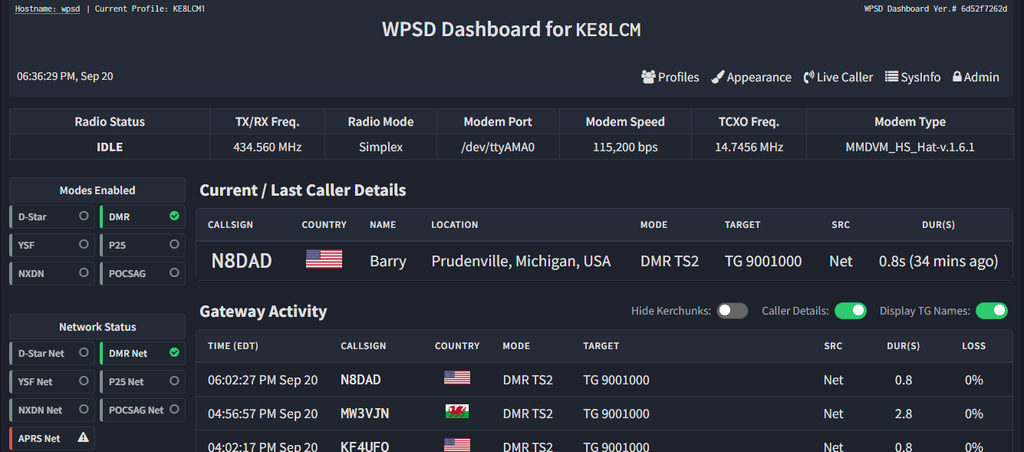
So first you are going to login to your Hotspot on your internet browser. On the top right side you will see Admin. Click on that and login.
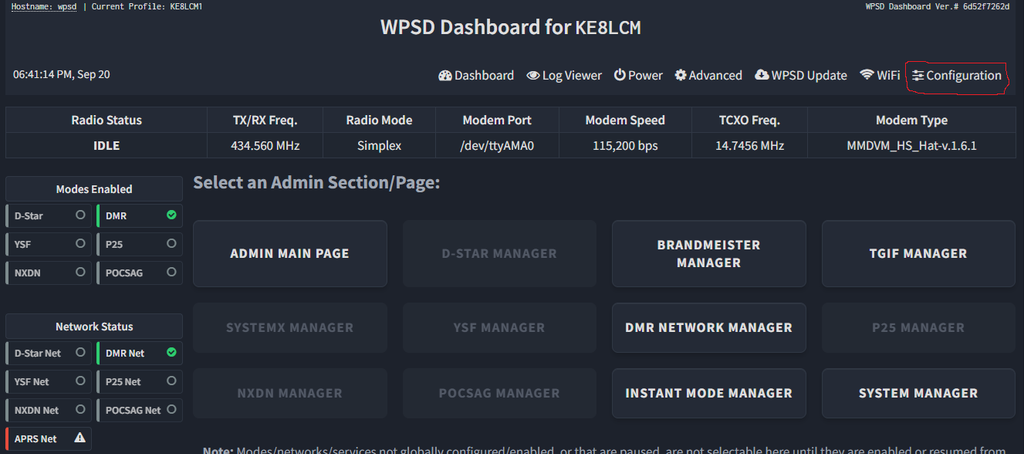
Once you are logged in, on the same spot of the page you will now see Configuration. Click on that to get to the next page.
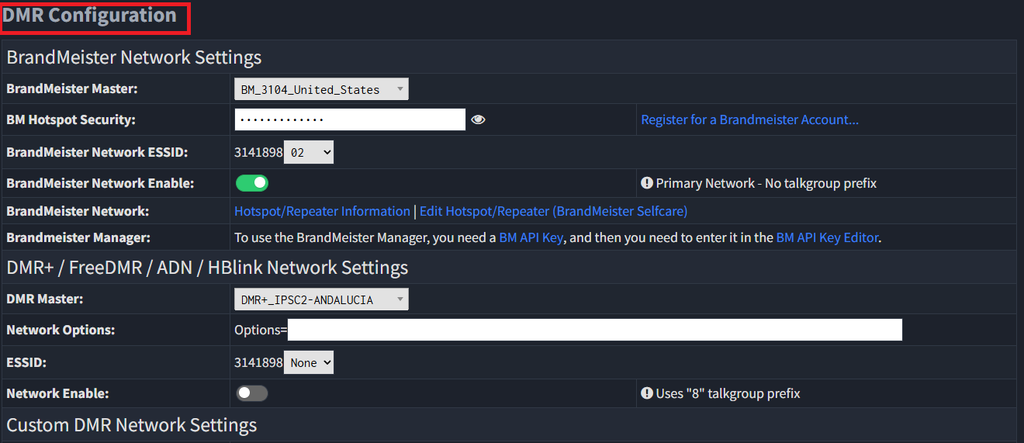
Once the WPSD Dashboard – Configuration page opens scroll down until you see DMR Configuration
Scroll down a little more and edit the Custom DMR Network Settings.
Server Name is AmateurWire
Server Address is dmr1.amateurwire.org
Port is 62030
ESSID you can set to whatever you like
The Password currently is passw0rd
You will also need to make sure Automatic Rewrite Rules is turned on.
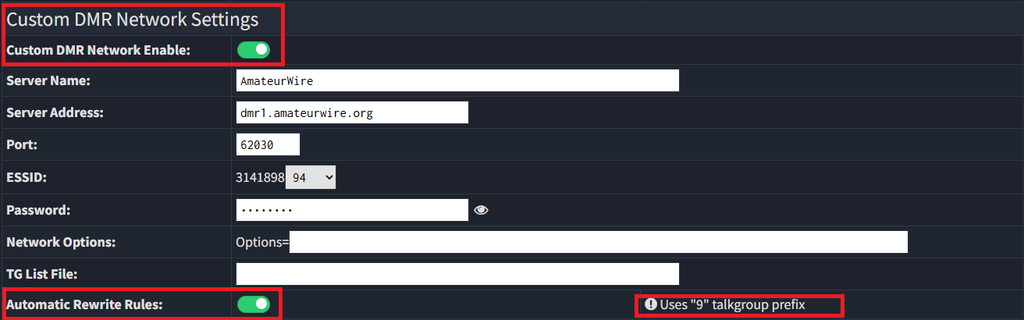
You will also notice to the right at the bottom this says Uses “9” talkgroup prefix.
This means when you program the talkgroup into your radio in order for the hotspot to know that talkgroup is meant to route to this server your radio needs the talkgroup programmed with a 9 and enough 0’s infront of the talkgroup number to equal 7 digits total. So for example if you are trying to speak on talkgroup 1000 you would program the talkgroup in your radio as 9001000. If you are trying to talk on talkgroup 310 then in your radio the talkgroup would be 9000310. No matter the length of the talkgroup number it will always start with a 9 and have enough zeros to make the number 7 digits long.
That should be all you need to do to get your hotspot on the AmateurWire DMR Network running WPSD.