PI-Star Configuration for AmateurWire DMR Network
Unlike WPSD, PI-STAR is just a little harder to config for DMR Servers that are not already in their configuration or to even have it on multiple networks to begin with. I will do my best in this brief guide to help you get this working the easiest way possible. For those who do not know PI-STAR can be connected to multiple networks at a time. You can be on Brandmeister, TGIF and any other DMR networks at the same time. All the magic happens when you key up your radio and a talkgroup is requested.
The first thing you are going to do is go to your pi-star hotspot in your web browser. Once the page opens you will click on Configuration in the top right corner.
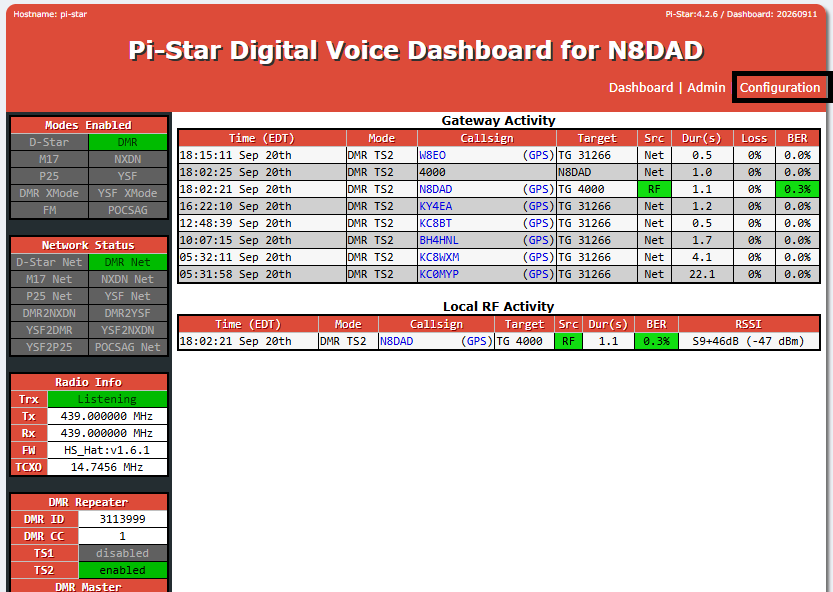
Once you have logged in, (Default login info is pi-star and the default password is raspberry) on the next page you are going to scroll down to DMR Configuration.
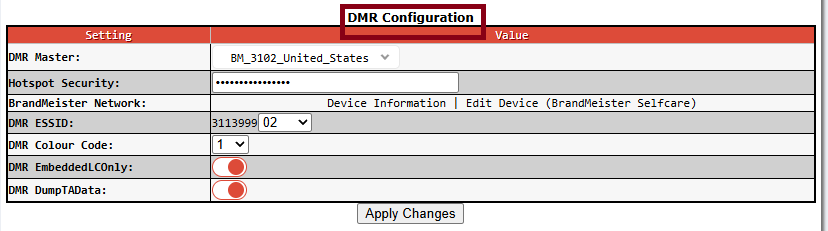
Now this is where settings may be a bit different for you. First you will change in the drop down menu for DMR Master from BM_whatever-server-it-says to DMRGateway and click apply changes. Then it will say BrandMeister master. You will select your Master server for BrandMeister there, Enter your BrandMeister hotspot security password and choose your ESSID. This is where normal configuration stops.
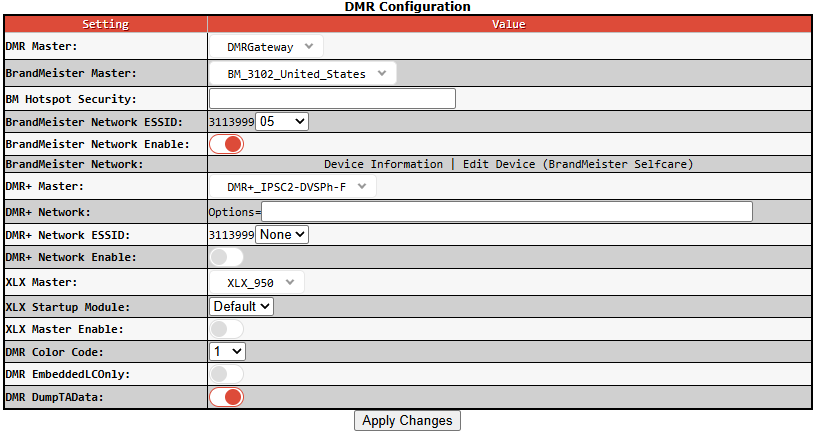
After clicking apply changes and everything reloads now you are going to scroll back up and click on Expert.
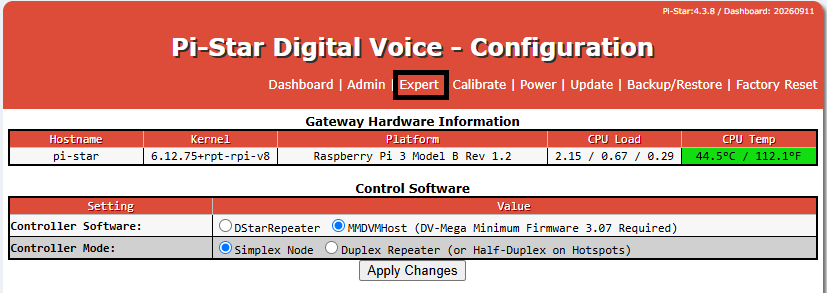
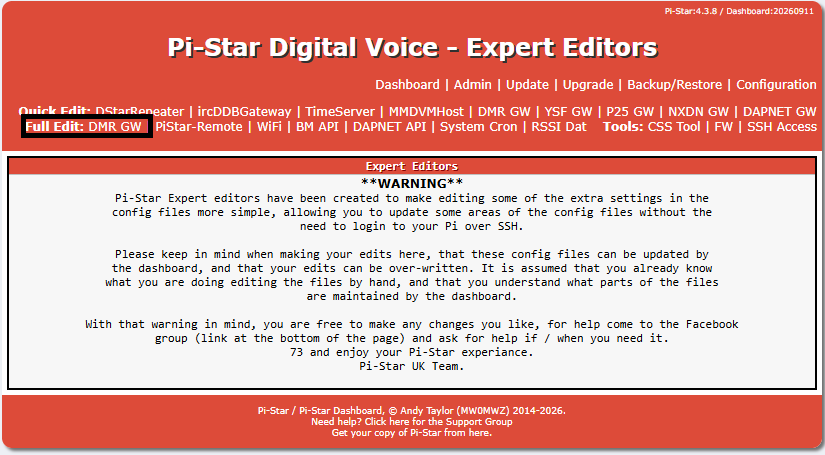
Next beside Full Edit you will click on DMR GW
Now on the page you will scroll down to the bottom and enter some more information into the config.
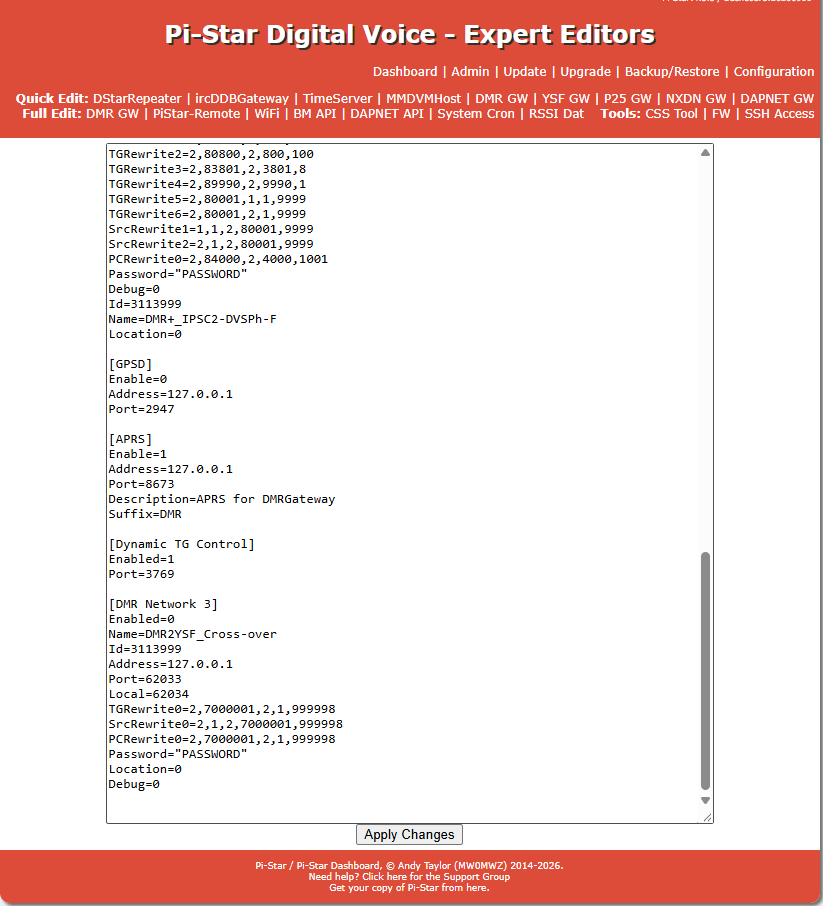
What you want to enter in here is as follows.
[DMR Network 3]
Enabled=1
Name=AmateurWire
Address=208.180.48.41
Port=62030
Password=”passw0rd”
Id=yourdmridhere
Location=0
Debug=0
TGRewrite0=2,3000001,2,1,999999
SrcRewrite0=2,1,2,3000001,999999
TGRewrite1=1,3000001,1,1,999999
SrcRewrite1=1,1,1,3000001,999999
PCRewrite0=1,3000001,1,1,999999
PCRewrite1=2,3000001,2,1,999999
With this information entered you will program your talkgroups in your DMR Radio to begin with a 3 and 0’s +tg to make 7 digits. So if you were wanting to talk in talkgroup 1000 you would program your digital contact in the radio as 3001000 or for talkgroup 310 you would make it 3000310. Always 7 digits and always begins with 3 and enough 0’s before the talkgroup number to make 7 digits. So when you talk to your hotspot with your radio and it requests talkgroup 3001000 for example it will know to put the traffic out over AmateurWire on talkgroup 1000. You can also do this to add TGIF to your hotspot by adding these lines
[DMR Network 4]
Enabled=1
Name=TGIF
Address=tgif.network
Port=62031
ID=YourDMRIDHERE
Password=YourHotSpotPasswordHERE
Location=0
Debug=0
TGRewrite0=2,4000001,2,1,999999
SrcRewrite0=2,1,2,4000001,999999
TGRewrite1=1,4000001,1,1,999999
SrcRewrite1=1,1,1,4000001,999999
PCRewrite0=1,4000001,1,1,999999
PCRewrite1=2,4000001,2,1,999999
With these lines added the same rules apply. The talkgroups in your radio will be programmed beginning with 4 and enough zeros to make your talkgroup 7 digits. So if you wanted to talk in TG 1980 you would enter 4001980 in your radio’s codeplug. This will tell your hotspot to put that traffic over TGIF to tg 1980.
I have tried to make this as straight forward and easy to understand as I can. If you still have trouble after this please feel free to reach out for assistance from Roger KE8LCM either on discord or via email at ke8lcm@amateurwire.org